
Modern vehicles have become rolling computers, relying on complex sensor networks to manage everything from fuel injection to transmission shifting. According to recent automotive industry data, over 60% of dashboard warning lights stem from minor sensor glitches or loose gas caps rather than catastrophic engine failure. This statistic highlights why owning a reliable diagnostic tool is no longer just for professional mechanics. It is a cost-saving necessity for any car owner who wants to understand their vehicle's health without visiting a service center. The right device can translate cryptic error codes into actionable insights, saving you hundreds of dollars in diagnostic fees.
Understanding OBD2 and Basic Terminology
Before purchasing hardware, you must understand the standard interface used by all cars sold in the United States since 1996. The On-Board Diagnostics II (OBD2) system is a standardized protocol that allows external devices to communicate with a vehicle's Engine Control Unit (ECU). This standardization means that a diagnostic tool bought today will work on almost any car manufactured in the last three decades.
When you plug a scanner into your car, it reads Diagnostic Trouble Codes (DTCs). These codes follow a specific format. The first character indicates the system, such as 'P' for Powertrain or 'B' for Body. The second character specifies whether the code is generic or manufacturer-specific. Understanding this hierarchy is critical because generic codes can be interpreted by any scanner, while manufacturer-specific codes often require advanced, brand-specific software. For a beginner, focusing on tools that handle generic P-codes effectively is the most logical starting point. This approach covers the vast majority of common issues like oxygen sensor failures or misfires.
Another essential concept is the difference between live data and stored codes. Stored codes tell you what went wrong in the past. Live data shows you what is happening right now. A tool that offers live data streaming allows you to monitor parameters like engine temperature, RPM, and fuel trim in real time. This capability transforms the device from a simple code reader into a powerful diagnostic assistant. You can verify if a part is actually failing by watching its data stream change under load.
Comparing Tool Categories for Novices
The market for automotive scanners is fragmented, ranging from simple LED readers to sophisticated tablet-based systems. For a beginner, the choice depends largely on your comfort level with technology and the depth of diagnostics you require. The following categories represent the most viable paths for new users.
Bluetooth and Wi-Fi Adapters
These small dongles plug into the OBD2 port and connect to your smartphone via an app. They are the most popular entry-level choice because they eliminate the need for a dedicated screen. The primary advantage is portability and cost. You likely already own the display device. However, this setup requires a compatible phone and a stable internet connection for initial app downloads. It also limits your ability to use the tool while driving if your phone battery dies. For casual users who want to clear a check engine light occasionally, this is often the best balance of price and functionality.
Handheld Code Readers
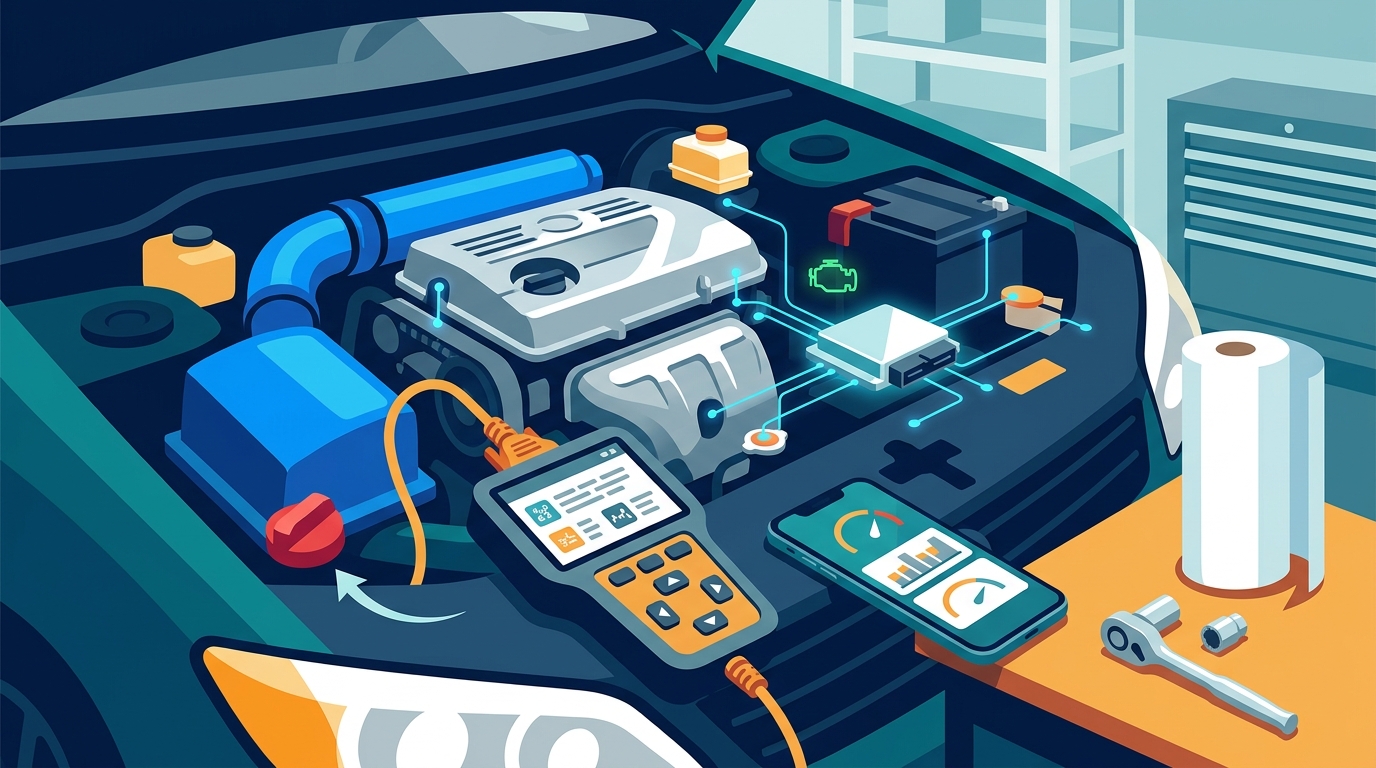
Traditional handheld scanners feature a built-in screen and physical buttons. They are designed for simplicity and durability. These devices do not require a smartphone, which makes them reliable in environments with poor cellular service. They are generally more rugged and can withstand the harsh conditions of a garage or undercarriage. The downside is that they often lack the advanced live data features found in app-based systems. They are excellent for reading and clearing codes but may struggle with complex module diagnostics.
Advanced Tablet and Laptop Scanners
These tools bridge the gap between consumer and professional grade. They offer extensive live data, bi-directional controls, and access to manufacturer-specific codes. While powerful, they come with a steep learning curve. For a true beginner, starting with this level of complexity can be overwhelming. It is better to master basic code reading before investing in professional-grade hardware that requires subscription fees for full functionality.
Setup and Usage Best Practices
Acquiring the tool is only half the battle. Proper usage ensures accurate readings and prevents damage to your vehicle's electrical system. The OBD2 port is typically located under the dashboard on the driver's side, near the steering column. In some vehicles, it may be behind a small plastic cover. Consult your owner's manual if you cannot locate it immediately.
Once plugged in, turn the ignition to the 'On' position without starting the engine. This powers the scanner and establishes communication with the ECU. If the device fails to connect, check the fuse related to the OBD2 port. A blown fuse is a common issue that prevents communication. After connecting, initiate a scan. The device will query all available modules in the vehicle. This process may take a few seconds to a minute depending on the car's make and model.
When you receive a code, do not panic. Look up the code definition on the device or in a reliable database. Note that a code indicates a system fault, not necessarily a broken part. For example, an oxygen sensor code might be caused by a wiring issue rather than the sensor itself. Use the tool's freeze frame data to see the engine conditions when the code was set. This information is crucial for replicating the issue during diagnosis. Always clear the codes after repairs and drive the vehicle to ensure the light does not return. This process, known as a drive cycle, confirms the repair was successful.
Top Picks for Beginner Diagnostics
Selecting the right tool requires balancing features with ease of use. The following comparison highlights the most effective options for novices in 2026. Each option offers distinct advantages depending on your specific needs.
| Tool Type | Best For | Key Feature | Price Range |
|---|---|---|---|
| Bluetooth Adapter | Smartphone users | Live data streaming | $20 - $50 |
| Handheld Scanner | Offline reliability | Instant code reading | $30 - $80 |
| AI Diagnostic Platform | Deep analysis | Verified repair paths | Subscription |
| Professional Scanner | Advanced troubleshooting | Bi-directional control | $200+ |
For those seeking a modern approach to diagnostics, platforms like AutoUncover represent a significant shift in how beginners can approach car repair. By leveraging AI to verify diagnostics with real repair data, these tools reduce the guesswork often associated with code reading. This method ensures that the advice you receive is grounded in actual repair outcomes rather than theoretical possibilities. Exploring the pricing structures of such platforms can help you determine if a subscription model fits your budget better than a one-time hardware purchase.
Another critical aspect of modern diagnostics is the ability to track your vehicle's history. Tools that integrate with a garage management system allow you to log repairs and monitor recurring issues over time. This historical data is invaluable for identifying patterns that might indicate a deeper problem. For instance, if a specific sensor fails repeatedly, the history log can help you trace the root cause, such as a wiring harness issue. Accessing your history reports provides a clear timeline of your car's health, making it easier to discuss issues with professional mechanics.
Installation and setup are also streamlined in modern ecosystems. The install process for AI-driven diagnostic tools is often designed to be plug-and-play, requiring minimal technical knowledge. This ease of use is a major selling point for beginners who may feel intimidated by traditional scanner interfaces. Furthermore, having access to help resources directly within the app can guide you through complex diagnostic steps. This support structure ensures that you are never left without guidance when facing a challenging repair scenario.
Account management is another area where modern tools excel. The auth systems used by these platforms ensure that your vehicle data and repair history are securely stored and accessible from any device. This security is crucial for maintaining the integrity of your diagnostic records. Additionally, the settings options allow you to customize notifications and diagnostic parameters to suit your specific vehicle. This level of customization ensures that the tool adapts to your needs rather than forcing you to adapt to the tool.
Key Takeaways
- OBD2 is the universal standard for car diagnostics, applicable to all vehicles sold in the US since 1996.
- Bluetooth adapters offer the best value for smartphone users who want live data and low cost.
- Handheld scanners provide reliable offline functionality without the need for a phone connection.
- AI diagnostic platforms like AutoUncover provide verified repair paths, reducing diagnostic errors for beginners.
- Understanding the difference between generic and manufacturer-specific codes is essential for accurate troubleshooting.
- Regularly clearing codes and performing drive cycles confirms the success of your repairs.
- Tracking vehicle history through a digital garage helps identify recurring issues and maintain resale value.
Frequently Asked Questions
Can I use a diagnostic tool on any car?
Yes, as long as the car was manufactured in 1996 or later and sold in the United States, it will have an OBD2 port. This ensures compatibility with almost all modern diagnostic tools.
Do I need a smartphone to use a car scanner?
Not necessarily. Handheld scanners have built-in screens and do not require a phone. However, Bluetooth adapters do require a smartphone to display data and manage settings.
What is the difference between a code reader and a scanner?
Code readers typically only read and clear codes. Scanners offer additional features like live data streaming, freeze frame data, and access to multiple vehicle systems beyond the engine.
How often should I scan my car?
You should scan your car whenever the check engine light illuminates. For proactive maintenance, scanning every six months can help identify pending codes before they trigger the warning light.
Can a diagnostic tool fix my car?
No, a diagnostic tool only identifies the problem. It can clear the code, but you must perform the physical repair to resolve the underlying issue. Using AI tools can help you understand the repair needed.
Are subscription fees worth it for beginners?
For casual users, a one-time purchase is often sufficient. However, if you plan to do frequent repairs, a subscription to a platform like AutoUncover may provide better value through advanced diagnostics and verified repair data.
What should I do if the scanner cannot connect?
Check the OBD2 port fuse first. Ensure the ignition is in the 'On' position. If the port is powered but the scanner still fails, try a different device or consult the manufacturer's support resources.
Start Diagnosing with Confidence
Taking control of your vehicle's maintenance starts with the right tools and knowledge. By choosing a diagnostic platform that combines ease of use with verified repair data, you can save money and gain confidence in your automotive skills. Visit AutoUncover to explore how AI can simplify your diagnostic journey. Set up your account today and start protecting your investment with professional-grade insights.