
Modern vehicle diagnostics have shifted dramatically from mechanical intuition to data-driven precision. According to recent industry analysis, over 60% of modern car issues can be identified through onboard computer systems before they become critical failures. This statistic highlights the importance of early detection tools. Drivers no longer need to rely solely on guesswork when their check engine light illuminates. Instead, they can leverage advanced software to interpret complex sensor data. This guide explores how AI-powered diagnostics work and how you can use them to save time and money.
How AI Diagnostics Work
Understanding the technology behind car diagnostics is the first step toward effective vehicle maintenance. The core concept relies on the vehicle's onboard computer systems. These systems constantly monitor thousands of parameters. When a sensor detects an anomaly, it triggers a diagnostic trouble code. AI algorithms then analyze these codes against vast databases of known issues. This process allows for rapid identification of potential problems.
Vehicle Diagnostic Code is a standardized alphanumeric identifier that indicates a specific malfunction within the vehicle's electronic control unit. These codes are universal across most manufacturers. However, interpreting them requires context. AI tools provide this context by cross-referencing the code with vehicle history and similar cases. This reduces the margin for error significantly.
The integration of artificial intelligence in this field has revolutionized how we approach car repair. Traditional methods often required a mechanic to spend hours guessing the root cause. Now, software can narrow down the possibilities in seconds. This efficiency is crucial for both DIY enthusiasts and professional technicians. It allows for faster turnaround times and more accurate repairs.
Choosing the Right Diagnostic Tool
Not all diagnostic apps are created equal. The market is saturated with options, each claiming to offer superior accuracy. It is essential to choose a tool that aligns with your technical expertise and vehicle type. Some apps are designed for casual users, while others cater to professional mechanics. Understanding the difference is key to getting reliable results.
When evaluating diagnostic software, look for features that offer real-time data streaming. This allows you to monitor engine performance as you drive. Additionally, check if the app provides verified repair recommendations. Generic code readers often stop at identifying the problem. Advanced tools go further by suggesting specific parts or procedures. This distinction can save you from unnecessary repairs.
AutoUncover represents a new generation of diagnostic platforms. It combines AI analysis with verified repair data to provide actionable insights. By focusing on accuracy and reliability, it helps users make informed decisions. Exploring pricing options can help you find a plan that fits your needs. Whether you are a casual driver or a serious enthusiast, the right tool makes a difference.
Step-by-Step Diagnosis Guide
Once you have selected a diagnostic tool, the next step is to perform the diagnosis. This process is straightforward but requires attention to detail. Follow these steps to ensure accurate results and avoid misinterpretation of data.
1. Connect Your Device
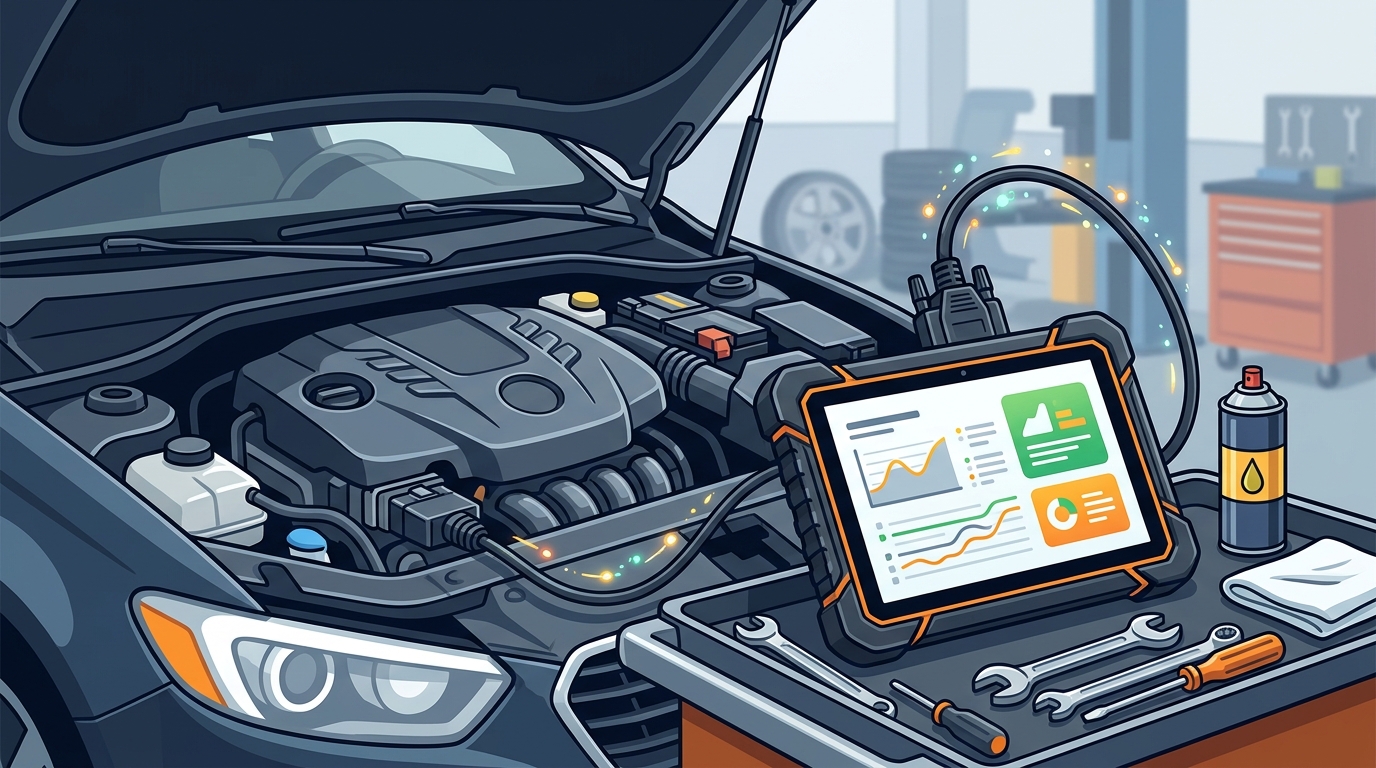
Begin by connecting your OBD2 scanner or smartphone adapter to your vehicle's port. This port is usually located under the dashboard near the driver's side. Ensure the connection is secure before proceeding. A loose connection can lead to incomplete data transmission. If you need guidance on the installation process, visit the installation guide for detailed instructions.
2. Read the Codes
Turn the ignition to the 'on' position without starting the engine. Launch your diagnostic app and initiate the scan. The app will communicate with the vehicle's computer and retrieve any stored trouble codes. Take note of all codes, even if they seem minor. Some codes may indicate intermittent issues that require monitoring.
3. Analyze the Data
Use the app's AI features to analyze the retrieved codes. Look for patterns or recurring issues. The app should provide a description of each code and its potential causes. Compare these findings with your vehicle's symptoms. For example, if the code indicates a misfire, check for rough idling or loss of power. This correlation helps confirm the diagnosis.
4. Verify with Real Repairs
Finally, verify your findings with real-world repair data. AI tools like AutoUncover cross-reference your codes with verified repair cases. This step ensures that the suggested solutions are practical and effective. You can access your vehicle's history and repair records through the history section of the platform. This verification process adds a layer of confidence to your diagnosis.
Limitations and Risks
While AI diagnostics are powerful, they are not infallible. It is important to understand their limitations to avoid costly mistakes. Diagnostic tools provide probabilities, not certainties. A code may indicate a faulty sensor, but the root cause could be a wiring issue. Relying solely on the app without further inspection can lead to misdiagnosis.
Another risk is the variability in app accuracy. Some apps may provide outdated or generic information. This can lead to confusion and unnecessary part replacements. Always choose a reputable platform that updates its database regularly. AutoUncover addresses this by focusing on verified repair data. This approach ensures that the information you receive is current and reliable.
Additionally, some modern vehicles have complex proprietary systems. Generic diagnostic tools may not access all modules. This can result in incomplete diagnostics. Professional-grade scanners or specialized apps are often required for these vehicles. Understanding your vehicle's specific needs is crucial for accurate diagnosis.
Key Takeaways
- AI diagnostics analyze onboard computer data to identify vehicle issues rapidly.
- Over 60% of modern car issues can be detected early through digital tools.
- Choosing the right app depends on your technical expertise and vehicle type.
- Verified repair data significantly improves the accuracy of diagnostic recommendations.
- AutoUncover provides a platform for AI diagnostics verified by real repairs.
- Always cross-reference app data with physical vehicle symptoms.
- Regular use of diagnostic tools can prevent costly breakdowns.
Frequently Asked Questions
Can an app replace a mechanic?
An app can provide valuable insights but cannot replace a professional mechanic. It helps identify issues, but physical inspection and repair require human expertise. Use the app as a diagnostic aid, not a final authority.
How accurate are AI car diagnostics?
Accuracy varies by platform. Tools that use verified repair data, like AutoUncover, offer higher reliability. Generic apps may provide less accurate or outdated information.
Do I need a special device to use these apps?
Most apps require an OBD2 adapter to connect to your vehicle. Some high-end scanners have built-in Wi-Fi or Bluetooth. Check the app's requirements before purchasing.
Can I diagnose hybrid or electric vehicles?
Standard OBD2 tools may not access all systems in hybrid or electric vehicles. Specialized diagnostic equipment is often required. Consult your vehicle's manual for compatibility.
How often should I run a diagnostic scan?
Run a scan whenever the check engine light appears or if you notice unusual symptoms. Regular monthly scans can also help catch intermittent issues early.
What is a diagnostic trouble code?
A diagnostic trouble code is a standardized identifier for a specific vehicle malfunction. It helps pinpoint the area of the problem for further investigation.
Is AutoUncover free to use?
AutoUncover offers various plans to suit different needs. Check the pricing page for details on free trials and premium features.
Start Diagnosing Your Car Today
Take control of your vehicle's health with advanced AI diagnostics. AutoUncover provides the tools you need to identify issues accurately and efficiently. Visit our garage to set up your profile and start scanning. For more information, explore our help center or login to access your account. Don't wait for a breakdown to act. Diagnose your car now and drive with confidence.