
Modern vehicles have evolved into complex networks of sensors and microprocessors. According to a 2025 industry analysis by the Society of Automotive Engineers, the average new car contains over 100 million lines of code and more than 100 electronic control units. This complexity means that traditional mechanical intuition is no longer sufficient for accurate troubleshooting. Beginners must rely on digital diagnostics to interpret vehicle health accurately.
Understanding OBD2 Basics
Before purchasing hardware, you must understand the standard interface. The On-Board Diagnostics II (OBD2) system is a standardized protocol mandated for all cars sold in the United States since 1996. OBD2 is a standardized system that allows vehicles to report their operational status and fault codes to external devices. This standardization ensures that any generic scanner can read basic engine data across different manufacturers.
The diagnostic port is typically located under the dashboard near the driver's feet. It is a 16-pin trapezoidal connector. When you plug a tool into this port, it draws power directly from the vehicle's battery. This eliminates the need for internal batteries in many basic scanners. However, it also means that if your car battery is dead, the scanner will not function. Always ensure your vehicle has sufficient power before attempting diagnostics.
For beginners, the most critical concept is the difference between generic and manufacturer-specific codes. Generic codes, identified by P0xxx, are universal across all brands. They indicate general issues like fuel mixture problems or misfires. Manufacturer-specific codes, identified by P1xxx, vary by brand. These require advanced tools to interpret correctly. Understanding this distinction helps you choose the right tool for your specific vehicle.
Tool Categories Explained
The market offers several tiers of diagnostic equipment. Each serves a different level of expertise and budget. Choosing the wrong category can lead to frustration or inaccurate readings. We break down the three primary categories below.
1. Basic Code Readers
Basic code readers are the entry point for DIY enthusiasts. These devices are inexpensive and easy to use. They primarily read and clear standard trouble codes. They are ideal for checking the "Check Engine" light status. However, they offer limited live data streaming capabilities. If you need to monitor real-time engine parameters, this category may be insufficient.
These tools are perfect for occasional users who want to verify a repair before visiting a shop. They provide a quick snapshot of vehicle health without requiring technical knowledge. For more advanced features, you might explore the pricing options for upgraded diagnostic software.
2. Advanced Scan Tools
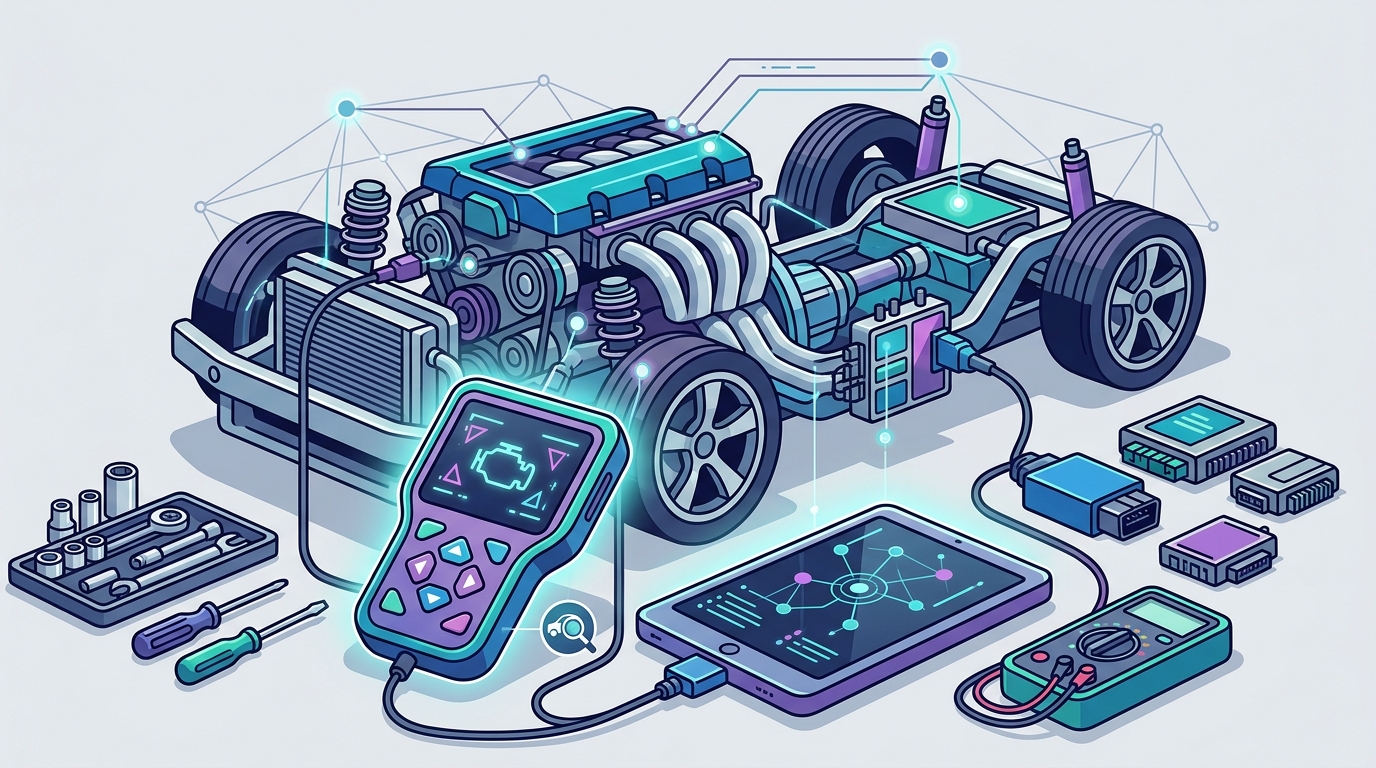
Advanced scan tools bridge the gap between basic readers and professional equipment. They offer live data streaming, bi-directional controls, and manufacturer-specific diagnostics. Bi-directional controls allow you to command vehicle components, such as activating a cooling fan or testing a fuel pump. This feature is crucial for verifying component functionality.
These tools often include software updates via Wi-Fi or USB. This ensures compatibility with newer vehicle models. For users seeking verified repair data, platforms like AutoUncover provide AI-driven diagnostics that complement these hardware tools.
3. Smartphone-Connected Scanners
Smartphone-connected scanners leverage the processing power of your mobile device. They connect via Bluetooth or Wi-Fi to a dedicated app. This category has gained popularity due to its affordability and user-friendly interface. The app provides visual graphs and detailed explanations for trouble codes.
While convenient, these tools rely on your phone's battery and connectivity. They may not work in areas with poor signal strength. Additionally, some advanced features may require a subscription. It is important to check the garage management features to see if they integrate with your existing vehicle history.
Comparison of Top Tools
The following table summarizes the key features of the most recommended diagnostic tools for beginners. This comparison helps you make an informed decision based on your specific needs.
| Tool Type | Best For | Key Feature | Price Range |
|---|---|---|---|
| Basic Code Reader | Occasional DIYers | Reads/Clears Codes | $20 - $50 |
| Advanced Scan Tool | Serious Hobbyists | Bi-directional Control | $100 - $300 |
| Smartphone Scanner | Tech-Savvy Users | App Integration | $30 - $100 |
| AI Diagnostic Platform | Verified Repairs | AI-Verified Data | Subscription |
When evaluating these options, consider the frequency of your repairs. If you only diagnose once a year, a basic reader may suffice. For regular maintenance, an advanced tool or AI platform offers better long-term value. You can learn more about the installation process for AI diagnostic tools to ensure compatibility.
Getting Started with Diagnostics
Once you have selected your tool, the next step is learning how to use it effectively. Proper usage ensures accurate readings and prevents damage to your vehicle's computer system.
Step 1: Connect the Device
Locate the OBD2 port and plug in your scanner. Turn the ignition to the "On" position without starting the engine. This powers the vehicle's electronic systems without engaging the engine. Wait for the scanner to boot up and establish a connection. If the device fails to connect, check the fuse box for blown fuses related to the OBD2 port.
Step 2: Read the Codes
Press the "Read Codes" button on your device. The scanner will display a list of trouble codes. Note each code carefully. Do not clear the codes yet. Clearing them before diagnosis erases valuable data about intermittent issues. Use the help resources to understand the specific meaning of each code.
Step 3: Analyze Live Data
For advanced tools, access the live data stream. Monitor parameters such as engine temperature, oxygen sensor voltage, and fuel trim. These values provide context for the trouble codes. For example, a high fuel trim value might indicate a vacuum leak. This step requires a basic understanding of engine operation. Refer to your vehicle's service manual for normal operating ranges.
Step 4: Clear Codes and Test
After performing the necessary repairs, clear the codes using the scanner. Drive the vehicle for a few days to ensure the "Check Engine" light does not return. If the light returns, the issue may not be fully resolved. In such cases, consult a professional or use vehicle history data to track recurring issues.
Key Takeaways
- OBD2 Standardization: All cars sold in the US since 1996 use the OBD2 standard, ensuring universal compatibility for basic diagnostics.
- Tool Selection: Basic readers are sufficient for occasional use, while advanced tools are necessary for regular DIY maintenance.
- Live Data Importance: Reading live data provides context for trouble codes, leading to more accurate diagnoses.
- Bi-directional Controls: Advanced tools allow you to command vehicle components, verifying part functionality before replacement.
- AI Integration: Modern AI diagnostic platforms offer verified repair data, reducing guesswork for beginners.
- Regular Updates: Ensure your diagnostic tool's software is up to date to support newer vehicle models.
- Safety First: Always disconnect the scanner before starting the engine to prevent electrical surges.
Frequently Asked Questions
Can I use a cheap code reader for my modern car?
Yes, basic code readers can read generic trouble codes on modern cars. However, they may not access manufacturer-specific systems like transmission or ABS. For comprehensive diagnostics, an advanced tool is recommended.
How often should I update my diagnostic tool?
You should update your tool's software annually or when new vehicle models are released. Regular updates ensure compatibility with the latest OBD2 protocols and vehicle systems.
What is the difference between a code reader and a scan tool?
A code reader primarily reads and clears trouble codes. A scan tool offers additional features like live data streaming, bi-directional controls, and manufacturer-specific diagnostics.
Do I need a professional tool to diagnose my car?
Not necessarily. Advanced DIY tools can handle most common issues. However, complex electrical problems may require professional-grade equipment and expertise.
How do I choose the best diagnostic tool for my needs?
Consider your vehicle's make and model, the frequency of your repairs, and your budget. Basic readers are good for occasional use, while advanced tools offer more functionality for regular maintenance.
Can I clear codes without fixing the problem?
Yes, you can clear codes without fixing the problem. However, the "Check Engine" light will likely return if the issue persists. Clearing codes erases the data needed to diagnose the root cause.
What is AutoUncover and how does it help?
AutoUncover is an AI-powered diagnostic platform that verifies repairs with real data. It complements hardware tools by providing accurate, verified repair information. Learn more at AutoUncover.com.
Is it safe to use a smartphone-connected scanner?
Yes, smartphone-connected scanners are safe and convenient. They leverage your phone's processing power for detailed analysis. Ensure your phone is charged and has a stable connection for best results.
Start Your Journey
Diagnosing your car yourself can save time and money. By choosing the right tool and following proper procedures, you can confidently tackle common automotive issues. Whether you start with a basic code reader or an advanced AI platform, the key is to learn and grow your skills. Visit AutoUncover.com to explore our AI diagnostic solutions and book a consultation today.